> ## Documentation Index
> Fetch the complete documentation index at: https://docs.textyess.com/llms.txt
> Use this file to discover all available pages before exploring further.
# Textyess on smartphones
Quickly access your TextYess conversations, orders, and revenue by adding it to your smartphone's home screen. Here's how:
## For iPhone Users
* **Step 1:** Open Safari and navigate to the TextYess app.
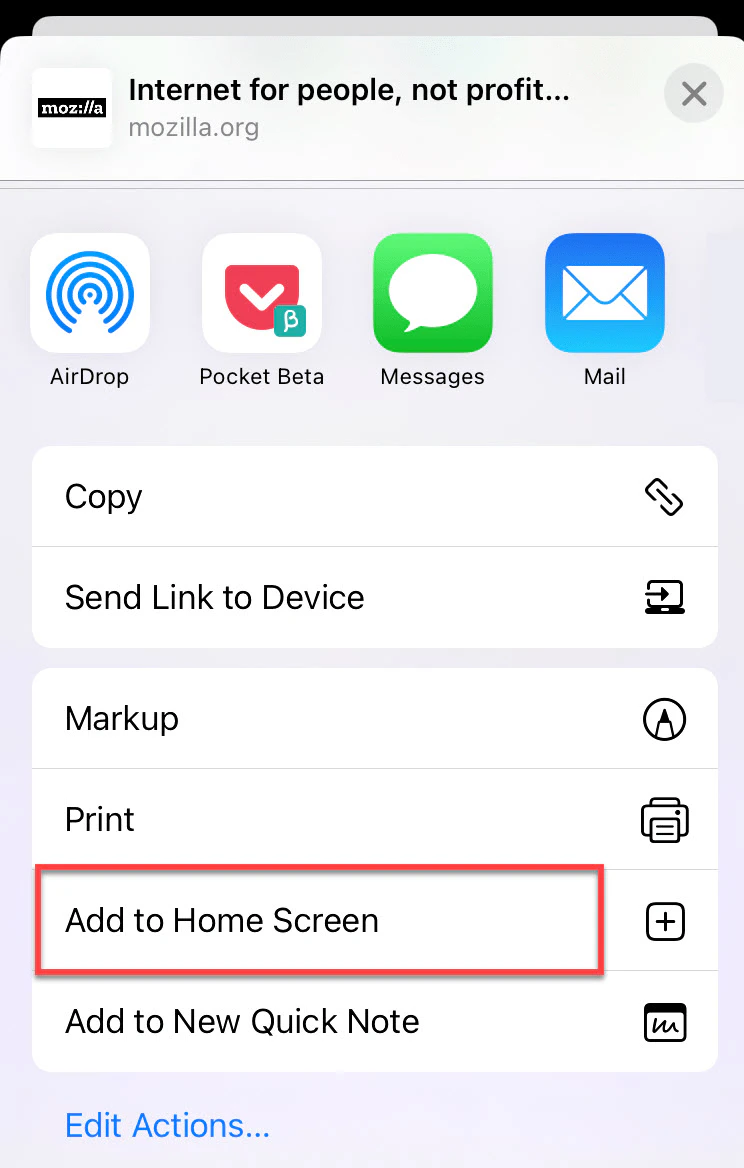
* **Step 2:** Tap the share button, then choose "Add to Home Screen".
* **Step 3:** If needed, use "Edit Shares" to find this option.
* **Step 4:** Rename if desired and tap "Add".
 ## For Android Users
* **Step 1:** Use any browser (e.g., Google Chrome) to visit the TextYess site.
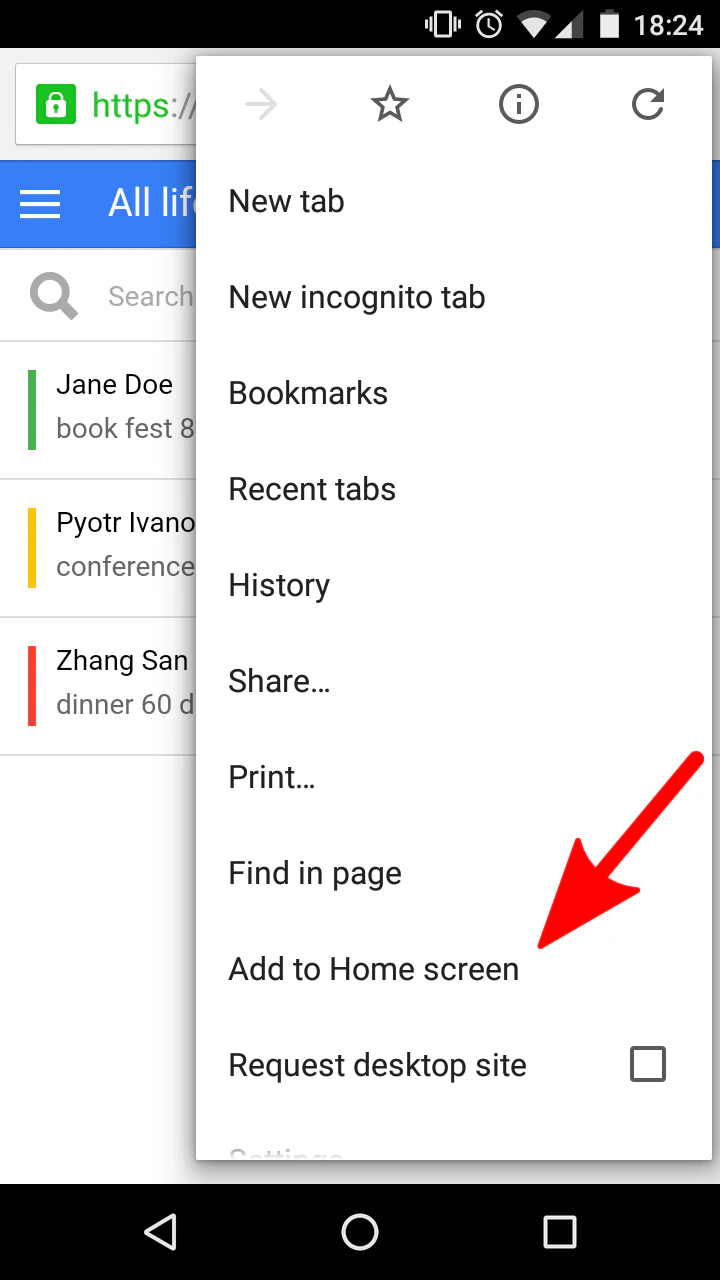
* **Step 2:** Tap the menu (three dots), select "Add to Home Screen".
* **Step 3:** Rename as desired, then tap "Add."
## For Android Users
* **Step 1:** Use any browser (e.g., Google Chrome) to visit the TextYess site.
* **Step 2:** Tap the menu (three dots), select "Add to Home Screen".
* **Step 3:** Rename as desired, then tap "Add."
 This creates a shortcut on your home screen, allowing easy management just like any other app.