In order to complete your unsubscription process, you should do an important action: delete your phone number on which you installed our AI-Assistant (or the number we provided you with) from your Facebook Business Manager.
1
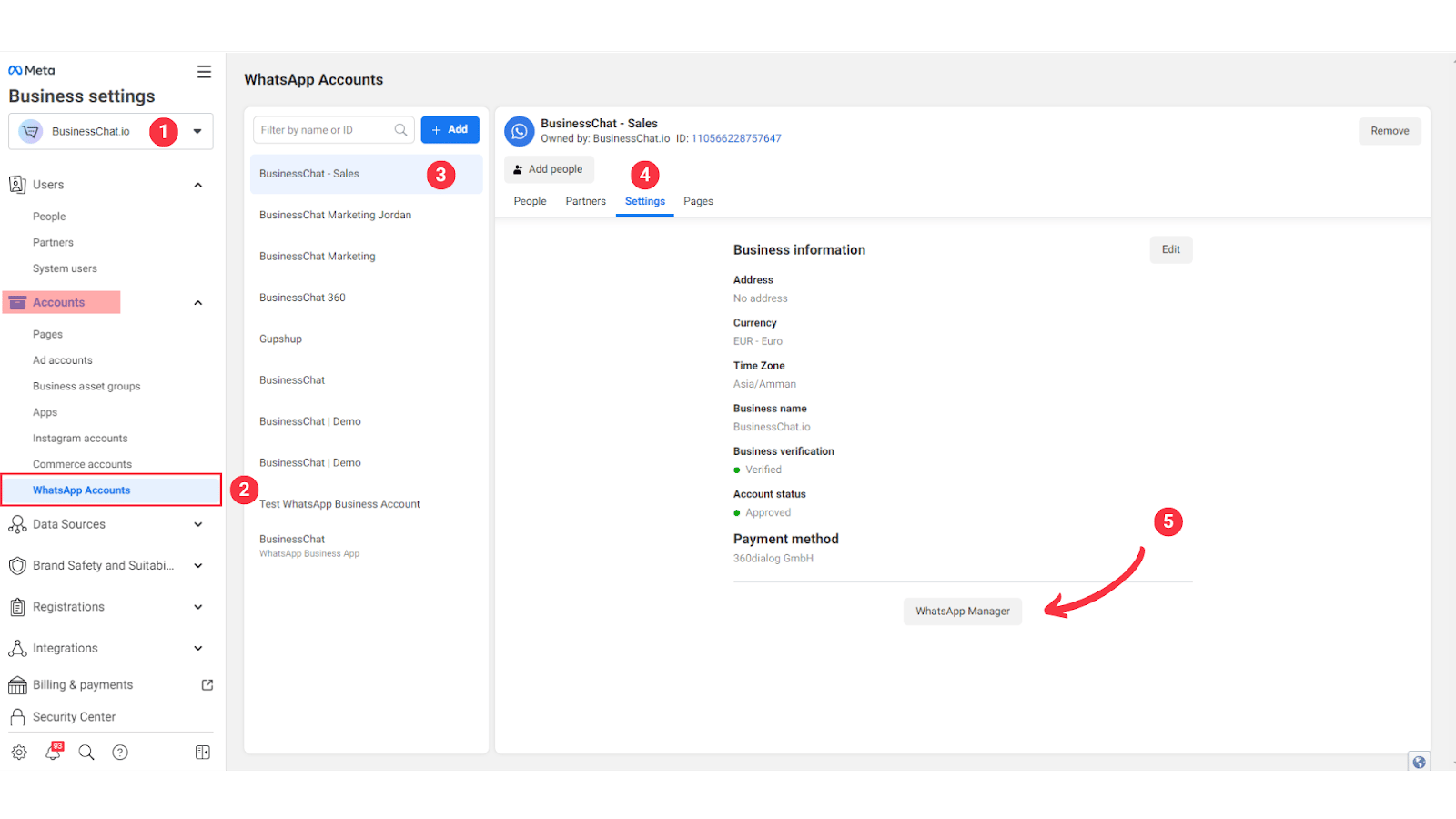
Go to your Business Settings Page
2
Choose the Facebook Business account (1)
3
Click on WhatsApp Accounts (2) under the Accounts section
4
Choose the WhatsApp account (3)
5
Select Settings (4) then WhatsApp Manager (5)
6
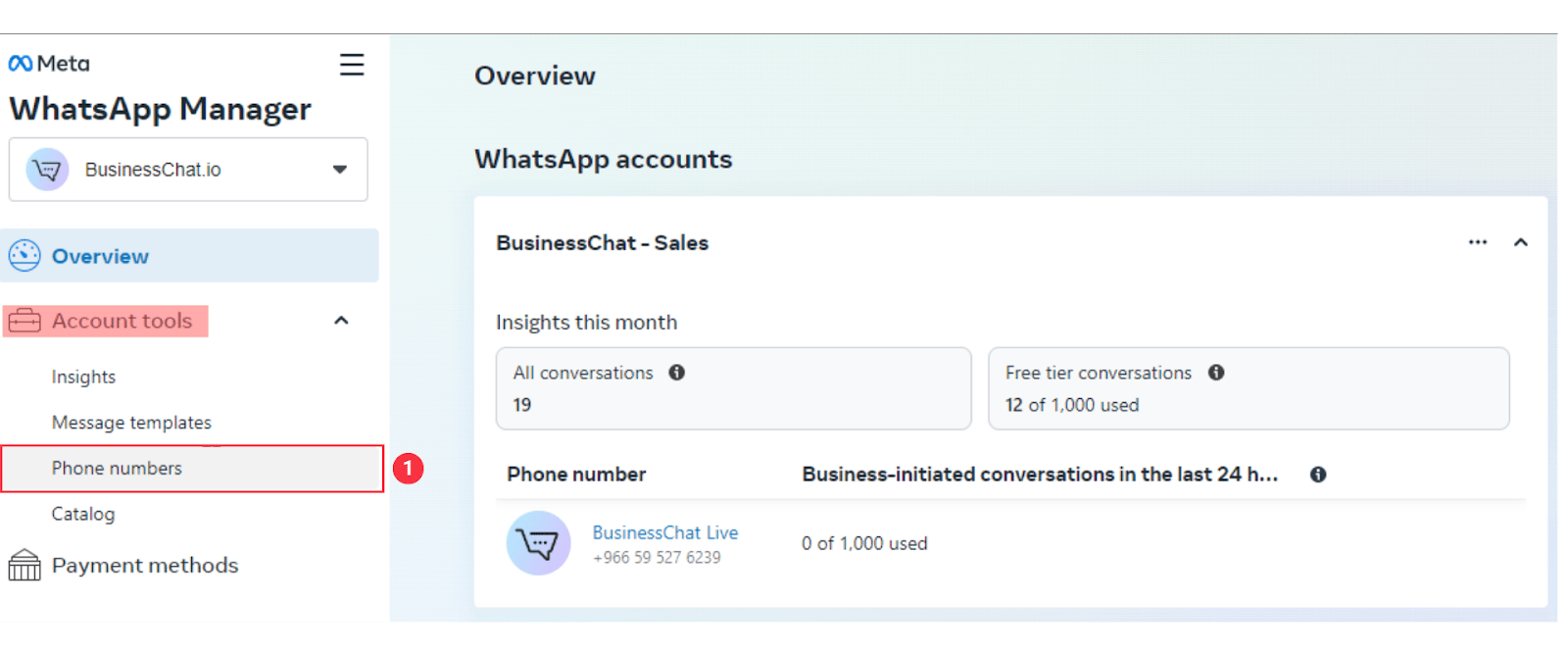
Click on Phone Numbers (1) under Account Tools
7
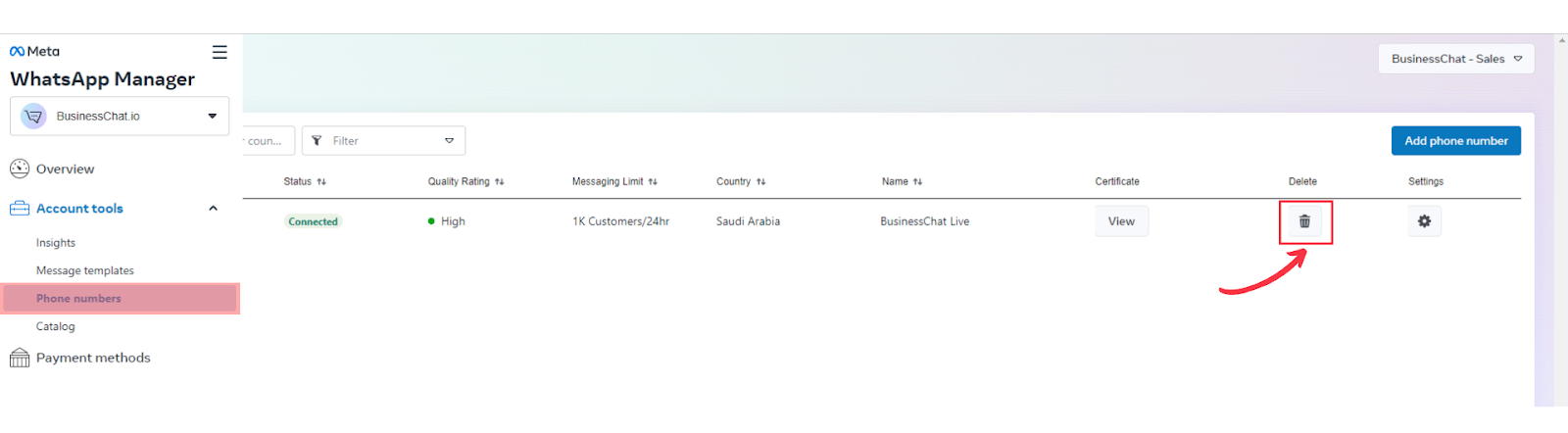
Press the Delete icon next to the phone number you want to delete.
8
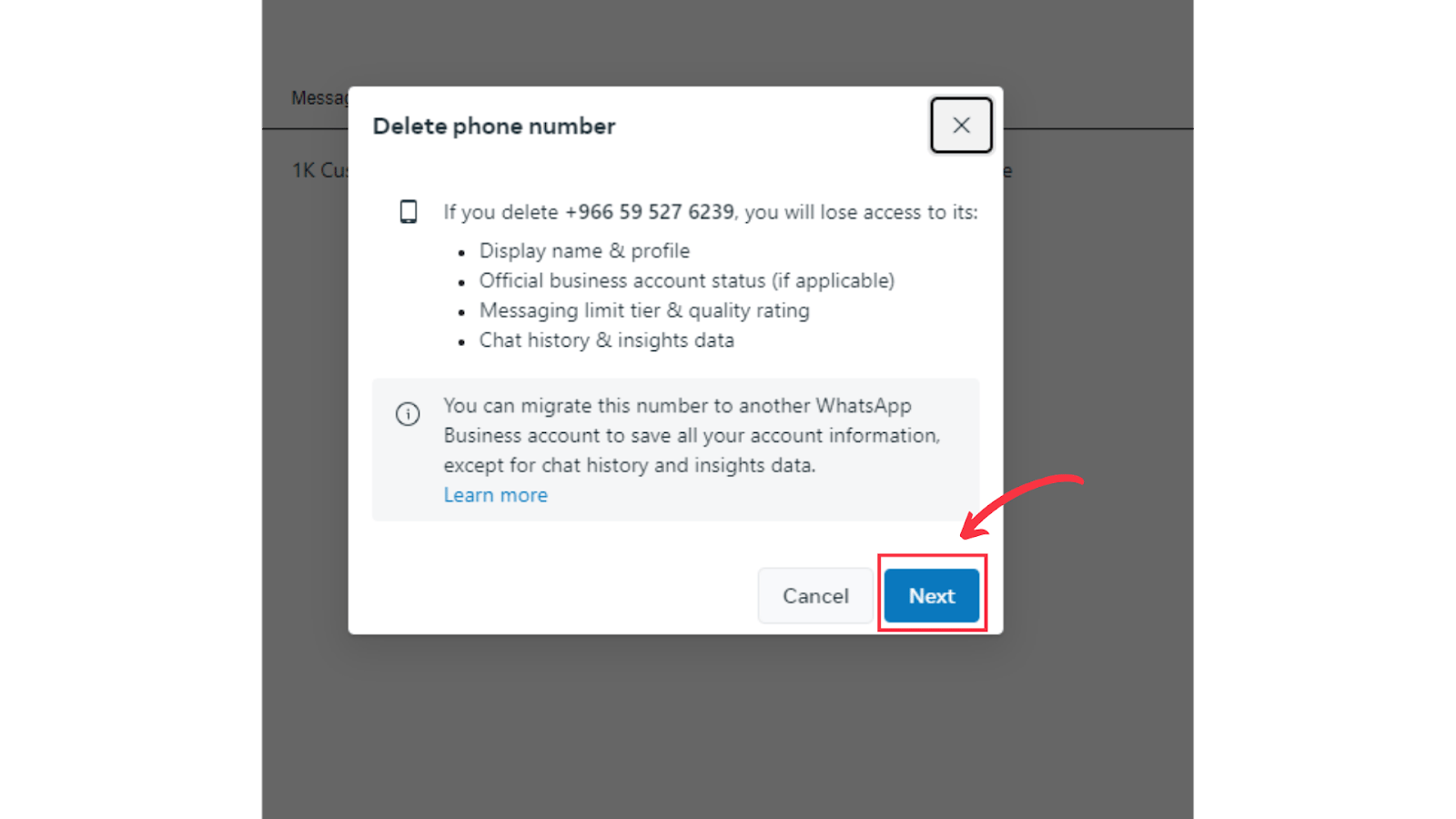
Then click on Next
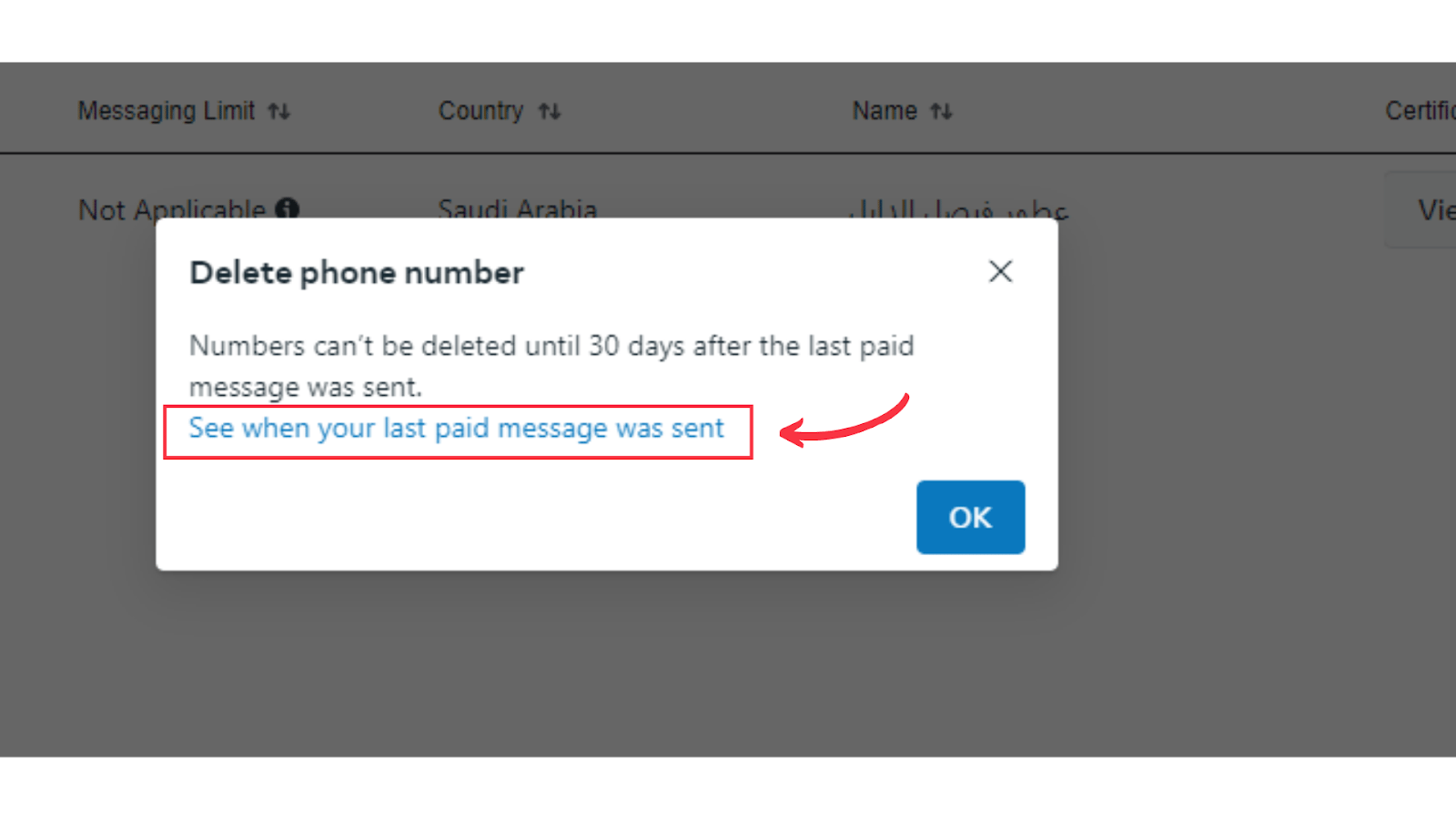
Attention:
If you got this warning, it means you sent a paid message in the last 30 days. To avoid deletion issues, avoid sending paid message for the next 30 days. Click to See when your last paid message was sent.